> ## Documentation Index
> Fetch the complete documentation index at: https://docs.pureclarity.com/llms.txt
> Use this file to discover all available pages before exploring further.
# Magento 2.x Dashboard
> Complete overview of the PureClarity dashboard features and functionality in Magento 2.x
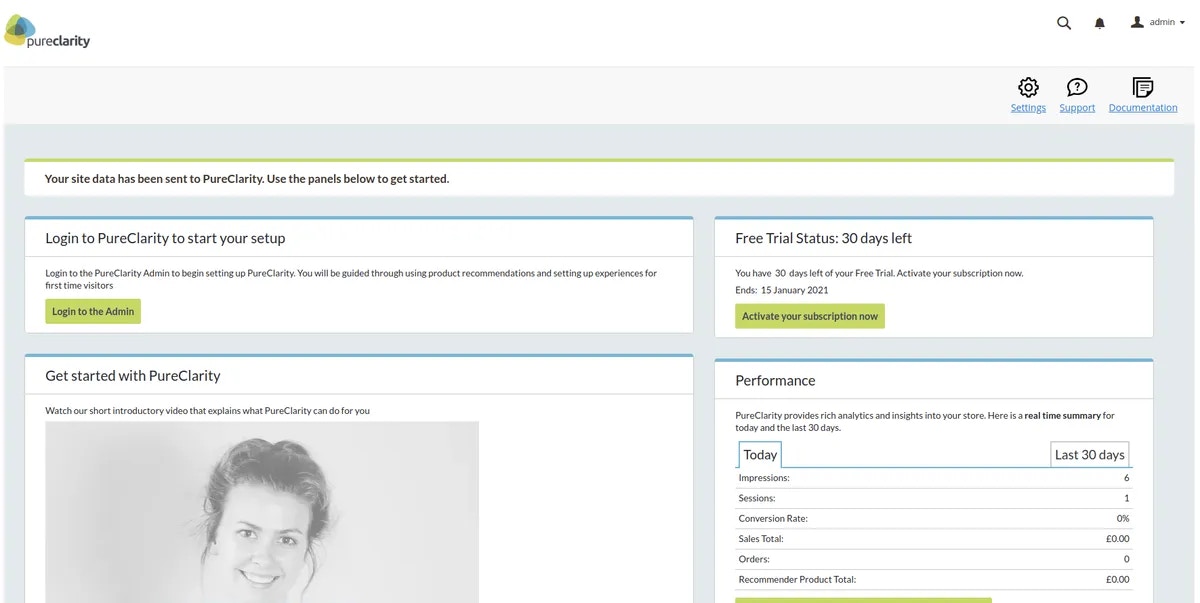
Once your [PureClarity signup](/integrations/magento/magento-2/free-trial-signup) is complete and your store is configured, the dashboard page displays comprehensive information about your PureClarity setup, including next steps, data feed status, and performance metrics.
 ## Header Navigation
The dashboard header provides quick access to essential tools and resources:
## Header Navigation
The dashboard header provides quick access to essential tools and resources:
 1. **Settings** – Navigate to the PureClarity configuration page within Magento
2. **Documentation** – Access the complete PureClarity Magento 2 extension documentation
3. **Support** – Opens email to [support@pureclarity.com](mailto:support@pureclarity.com) with pre-filled site information
## Next Steps
1. **Settings** – Navigate to the PureClarity configuration page within Magento
2. **Documentation** – Access the complete PureClarity Magento 2 extension documentation
3. **Support** – Opens email to [support@pureclarity.com](mailto:support@pureclarity.com) with pre-filled site information
## Next Steps
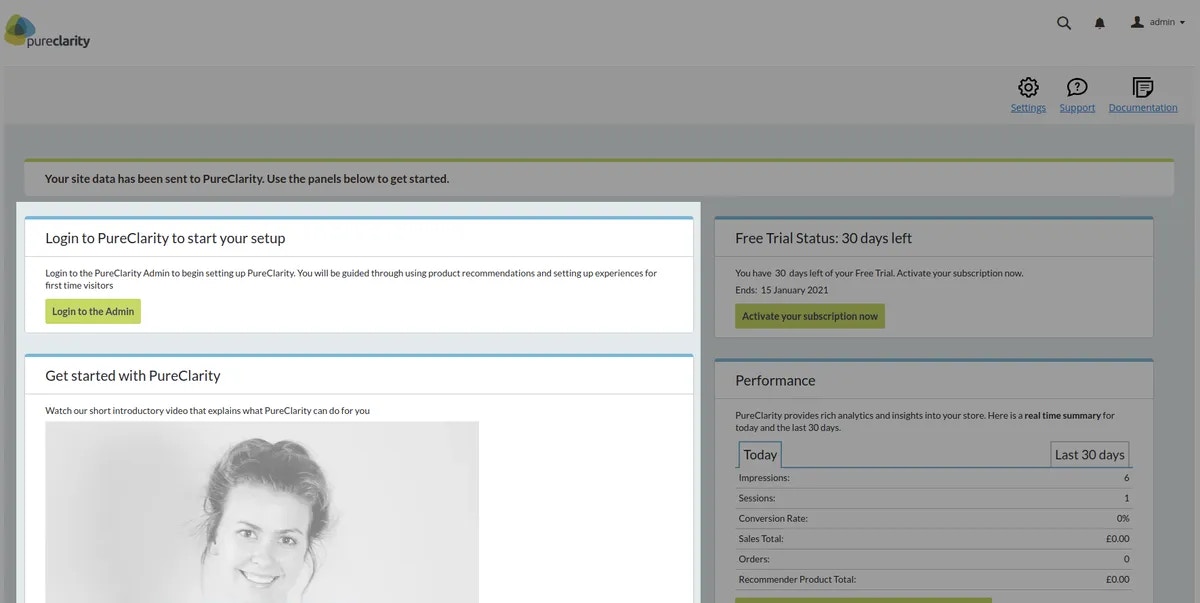 The Next Steps section provides personalized recommendations and tasks to help you maximize PureClarity's value. These suggestions update dynamically based on your setup progress and usage patterns.
Check back regularly as these recommendations change based on your store's performance and new feature releases.
## Free Trial Status
The Next Steps section provides personalized recommendations and tasks to help you maximize PureClarity's value. These suggestions update dynamically based on your setup progress and usage patterns.
Check back regularly as these recommendations change based on your store's performance and new feature releases.
## Free Trial Status
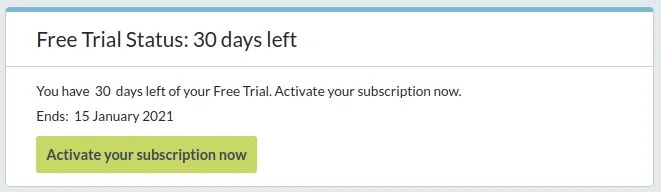 If you're on a free trial, this section displays:
* Days remaining in your trial period
* Quick link to upgrade your subscription
* Trial usage statistics
## Performance Overview
If you're on a free trial, this section displays:
* Days remaining in your trial period
* Quick link to upgrade your subscription
* Trial usage statistics
## Performance Overview
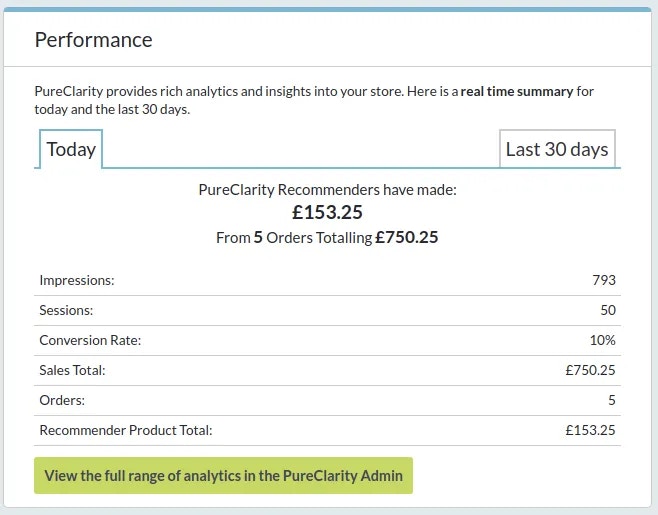 Key performance indicators are displayed for two time periods: **today** and **last 30 days**:
* **Impressions** - Total page views recorded by PureClarity
* **Sessions** - Number of unique customer sessions
* **Conversion Rate** - Percentage of sessions that resulted in orders
* **Sales Total** - Total order value for the period
* **Orders** - Total number of orders placed
* **Recommender Product Total** - Sales attributed to PureClarity recommendations
These metrics help you understand PureClarity's impact on your store's performance and customer engagement.
## Zones Management
Key performance indicators are displayed for two time periods: **today** and **last 30 days**:
* **Impressions** - Total page views recorded by PureClarity
* **Sessions** - Number of unique customer sessions
* **Conversion Rate** - Percentage of sessions that resulted in orders
* **Sales Total** - Total order value for the period
* **Orders** - Total number of orders placed
* **Recommender Product Total** - Sales attributed to PureClarity recommendations
These metrics help you understand PureClarity's impact on your store's performance and customer engagement.
## Zones Management
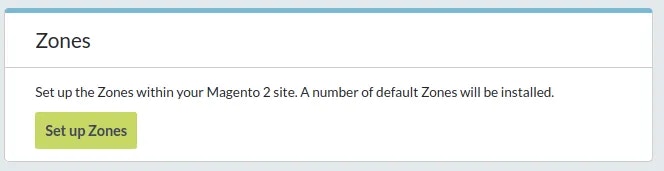 This section allows you to install default Zone widgets across your store. Zones are designated areas where PureClarity displays personalized content and recommendations.
For detailed zone installation instructions, see [Default Zone Installation](/integrations/magento/magento-2/default-zone-installation).
## Extension Review
This section allows you to install default Zone widgets across your store. Zones are designated areas where PureClarity displays personalized content and recommendations.
For detailed zone installation instructions, see [Default Zone Installation](/integrations/magento/magento-2/default-zone-installation).
## Extension Review
 This call-to-action provides a direct link to the Magento Marketplace where you can review the PureClarity extension and share your experience with other merchants.
## Feeds Status
This call-to-action provides a direct link to the Magento Marketplace where you can review the PureClarity extension and share your experience with other merchants.
## Feeds Status
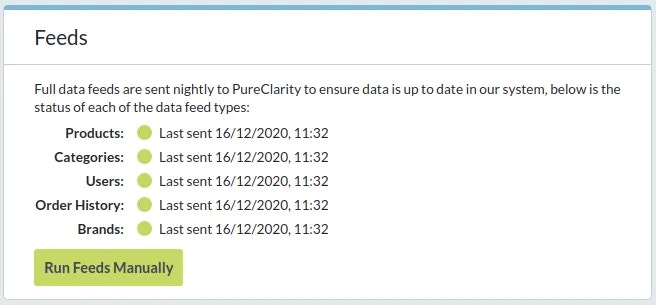 The feeds section displays the current status of all data synchronization feeds and provides manual feed execution options. This ensures your product data, customer information, and order history stay synchronized with PureClarity.
If any feeds show error status, check the [Feed Status documentation](/integrations/magento/magento-2/feed-status) for troubleshooting guidance.
The feeds section displays the current status of all data synchronization feeds and provides manual feed execution options. This ensures your product data, customer information, and order history stay synchronized with PureClarity.
If any feeds show error status, check the [Feed Status documentation](/integrations/magento/magento-2/feed-status) for troubleshooting guidance.